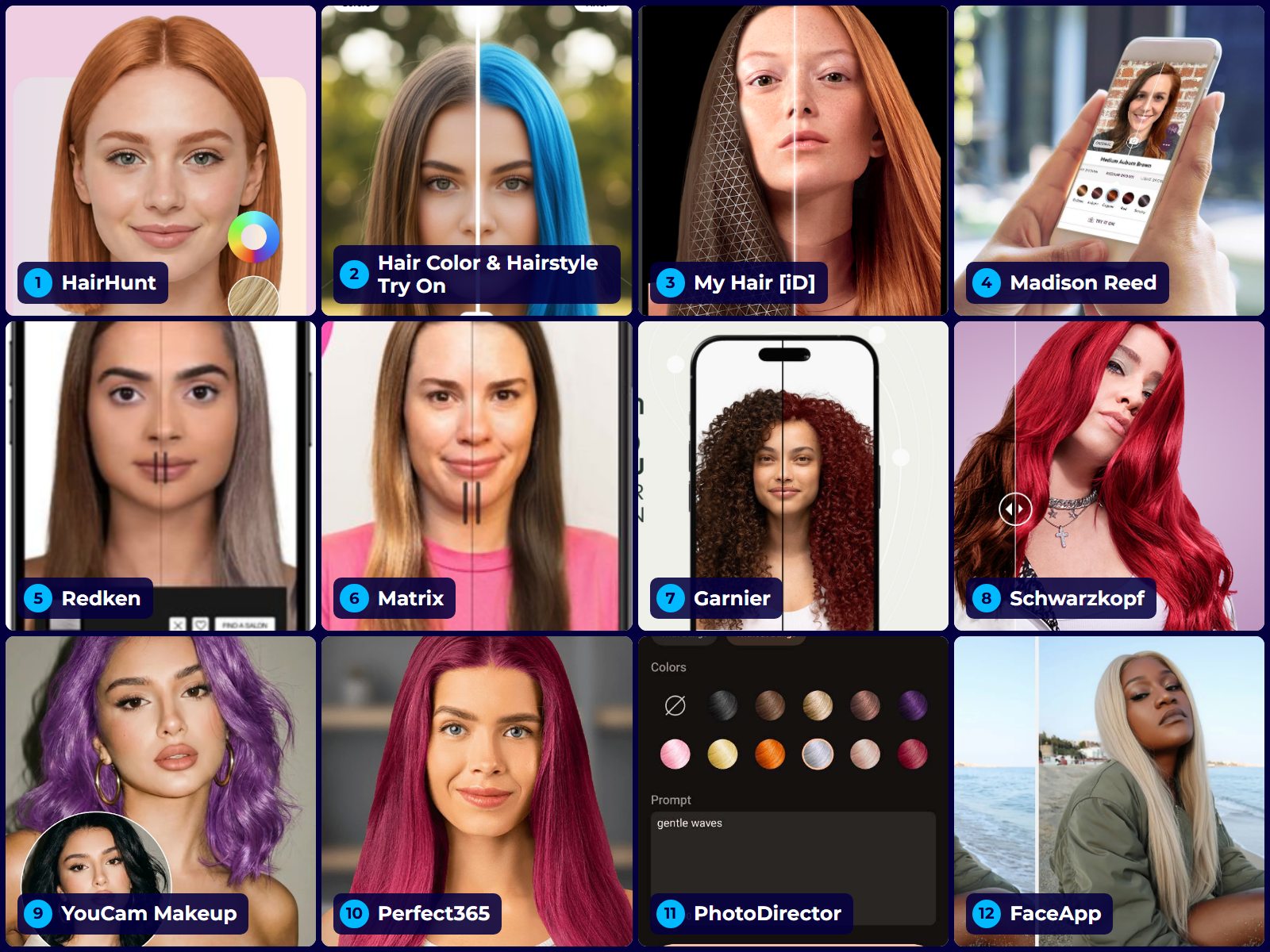
Summary: Colorist Lea Shaw tested twelve hair color try-on tools against one question: does the preview help you make a real color decision? HairHunt ranks first for its wide shade library and realistic AI-generated previews rather than filter overlays, YouCam Makeup has the widest shade library, and brand-specific color changers are most useful for previewing shades from their own hair dye ranges.
A hair color try-on app is worth using when it changes a decision: whether you go copper or auburn, whether you book a full bleach-and-tone or a gloss, whether you walk into the salon with a reference photo or a vague description. The twelve tools below are grouped by type and scored on that single question — how well each one supports a real color decision — with the honest limitations of each spelled out. Two are AI try-on apps built specifically for hair, six are brand simulators tied to a specific dye range, and four are beauty and makeover apps that include hair color features.
You'll find platform availability, shade coverage, what each tool does better than the rest, and where it falls apart. There's also a section on the apps that keep appearing on other 2026 roundups despite falling behind, and a short guide to turning a screenshot into something your colorist can actually use.
Top Hair Color Try-On Apps
- How We Ranked These Apps
- Quick Comparison of All 12 Tools
- AI Try-On Apps That Focus on Hair
- Brand Simulators That Match a Real Dye Formula
- Beauty and Makeover Apps With Hair Color Features
- Tools Other Lists Still Recommend
- What Every Try-On App Gets Wrong
- How to Get a Preview Your Colorist Can Use
- Frequently Asked Questions
How We Ranked These Hair Color Try-On Apps
Every tool here was assessed against five criteria, weighted toward salon decision-making rather than entertainment:
- Rendering quality — does the color follow your hairline, roots, and the way light falls across your hair, or does it sit on top like a flat sticker?
- Undertone accuracy — can you see the difference between a warm golden copper and a cool violet-based auburn, which is the distinction that decides whether a shade flatters your skin?
- Range and technique coverage — solid color only, or highlights, balayage, ombré, and money pieces too?
- Real-world connection — does the preview map to a product you can buy or a formula a colorist can mix?
- Friction and cost — how long from opening the tool to a usable image, and what does it cost to explore properly?
One disclosure, because it affects how you should read the number one spot: the author has a professional connection to the team behind the HairHunt app. It's ranked first on the transformation criterion — it's the only tool here that lets you compare several shades on your own hairstyle from one selfie and then recolor a haircut preview on the same photo — and its weaknesses are listed in the same detail as everyone else's, including the ones that show up in its own app store reviews. Where a competitor does something better, that's stated plainly. Judge the reasoning rather than the placement.
Quick Comparison: 12 Hair Color Try-On Tools at a Glance
Virtual try-on stopped being a novelty some time ago. The global virtual try-on market was valued at roughly $9.17 billion in 2023 by Grand View Research, which projects a 26.4% compound annual growth rate through 2030 — which is why nearly every major color brand now runs a simulator on its own site.
Use this table to shortlist two or three tools, then read the individual entries for the trade-offs. Testing the same shade in more than one tool is the single most useful habit here — where two independent tools agree on a tone, the preview is usually trustworthy.
| Tool | Rating | Platform | Shade approach | Shows cuts too? | Best for | Website |
|---|---|---|---|---|---|---|
| 1. HairHunt | 4.8 | Web, iOS, Android | 136 shades + balayage, ombré, highlights | Yes — 200+ styles | Exploring color and cut | Visit website |
| 2. Hair Color & Hairstyle Try On | 3.6 | Android | Vivid dip-dye, split colors, contrasting highlights | Styles shown, unclear if applied | Bold color combinations | Google Play |
| 3. My Hair [iD] by L'Oréal | 4.5 | iOS, Android | Professional L'Oréal formulas | No | Salon consultations | Visit website |
| 4. Madison Reed | 4.3 | Web | 55+ own-brand shades | No | Before/after slider comparison | Visit website |
| 5. Redken Virtual Try-On | 4.2 | Web | Professional salon shades | No | Planning a colorist appointment | Visit website |
| 6. Matrix Virtual Try-On | 4.0 | Web | Professional salon shades | No | Finding a stylist who stocks the line | Visit website |
| 7. Garnier Virtual Try-On | 3.9 | Web | At-home box dye range | No | Drugstore color shoppers | Visit website |
| 8. Schwarzkopf Virtual Try-On | 3.8 | Web | At-home range, naturals and vivids | No | European box dye shoppers | Visit website |
| 9. YouCam Makeup | 4.6 | Web, iOS, Android | 150+ filters, natural and vivid | No | Widest shade library | Visit website |
| 10. Perfect365 | 3.5 | Web, iOS, Android | Light and bold shades | No | Fashion colors with makeup on | Visit website |
| 11. PhotoDirector | 3.7 | iOS, Android | Presets + custom color prompts | Yes — AI Hairstyle | Specific shades and creative placement | Visit website |
| 12. FaceApp | 3.2 | iOS, Android | Natural + fantasy presets | Limited | Fast, low-stakes experimenting | Visit website |
AI Try-On Apps That Focus on Hair
These two are built around hair rather than makeup or general photo editing, and both go beyond laying a flat filter over the hair you already have. That's why they can show a color on a different length or style — useful when the color question and the cut question are really one decision.
1. HairHunt — Best for Exploring Both Color and Cut
Score:4.8/ 5Lea's score
Platform: Web, iOS, Android. Cost: One free full-quality try-on, then credit packs.
Get it: Official site · App Store · Google Play
Color decisions almost never happen in isolation. Most people considering a color change are also considering whether to keep their length, and a shade that reads beautifully on long layers can look severe on a blunt bob — which is exactly the variable every other tool on this list holds constant.
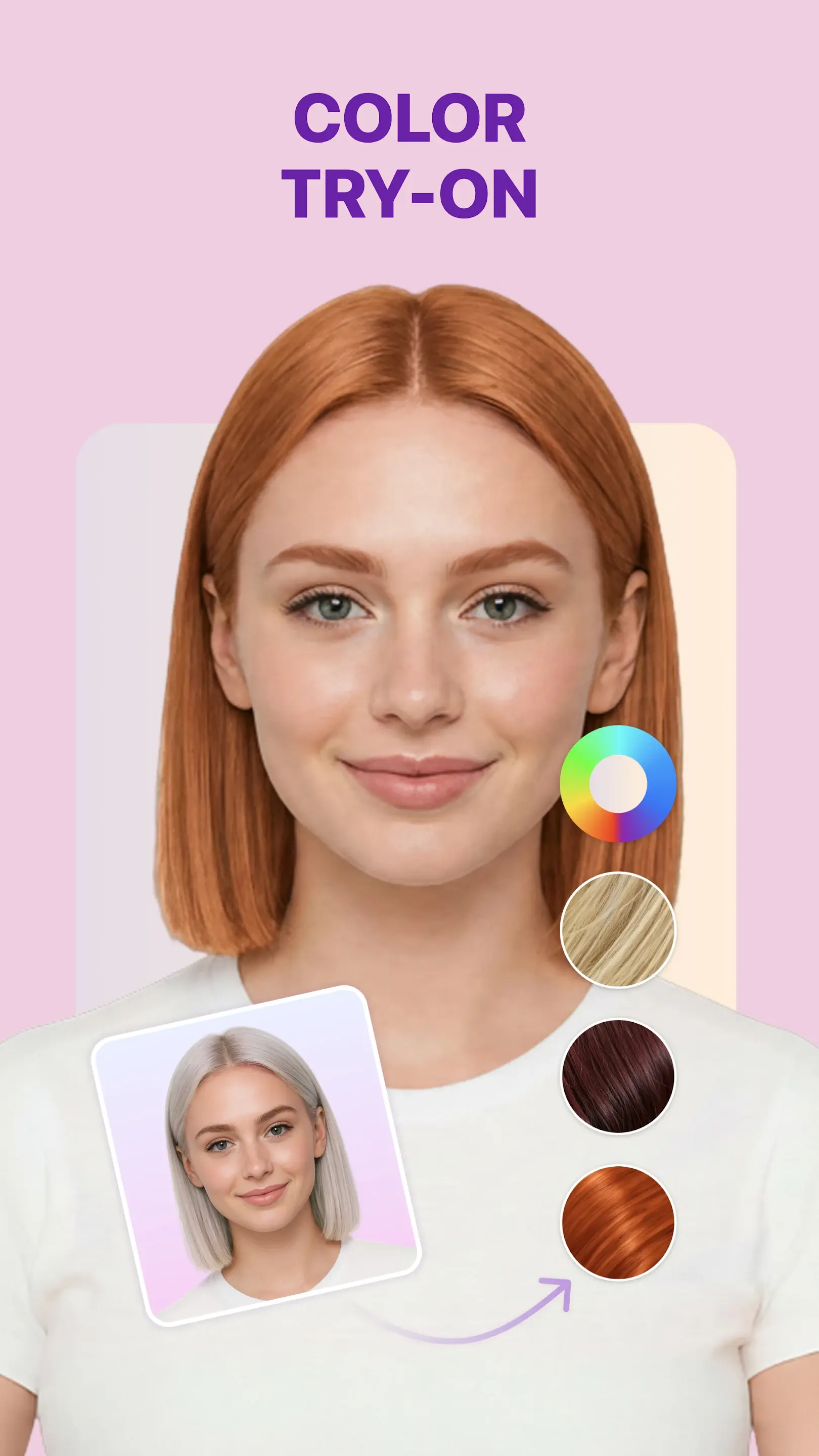
HairHunt lets you explore both cut and color, with an impressive range of options to choose from. You can try on 200+ hairstyles in ten popular shades, including options featuring balayage and highlights, or apply around 150 shades and balayage blends to your original selfie or a hairstyle try-on result. You can also upload any hairstyle reference you’ve found online and preview it on your selfie, expanding your options beyond the built-in library.
Where it’s weaker: The previews take around 30 seconds to generate, which may feel slow if you prefer instant filter results. You can try a few shades by watching ads in the app, but a smoother, uninterrupted experience requires payment.
Stylist tip: Try the shade you want on your current hairstyle first, then generate the cut you're considering and change its color to the same shade. If the color only works with the cut, the appointment you need is a double service — and that's a different conversation about budget and chair time than a single-process color.
2. Hair Color & Hairstyle Try On — Best for Bold Color Combinations
Score:3.6/ 5Lea's score
Platform: Android. Cost: Free with in-app purchases.
Get it: Google Play
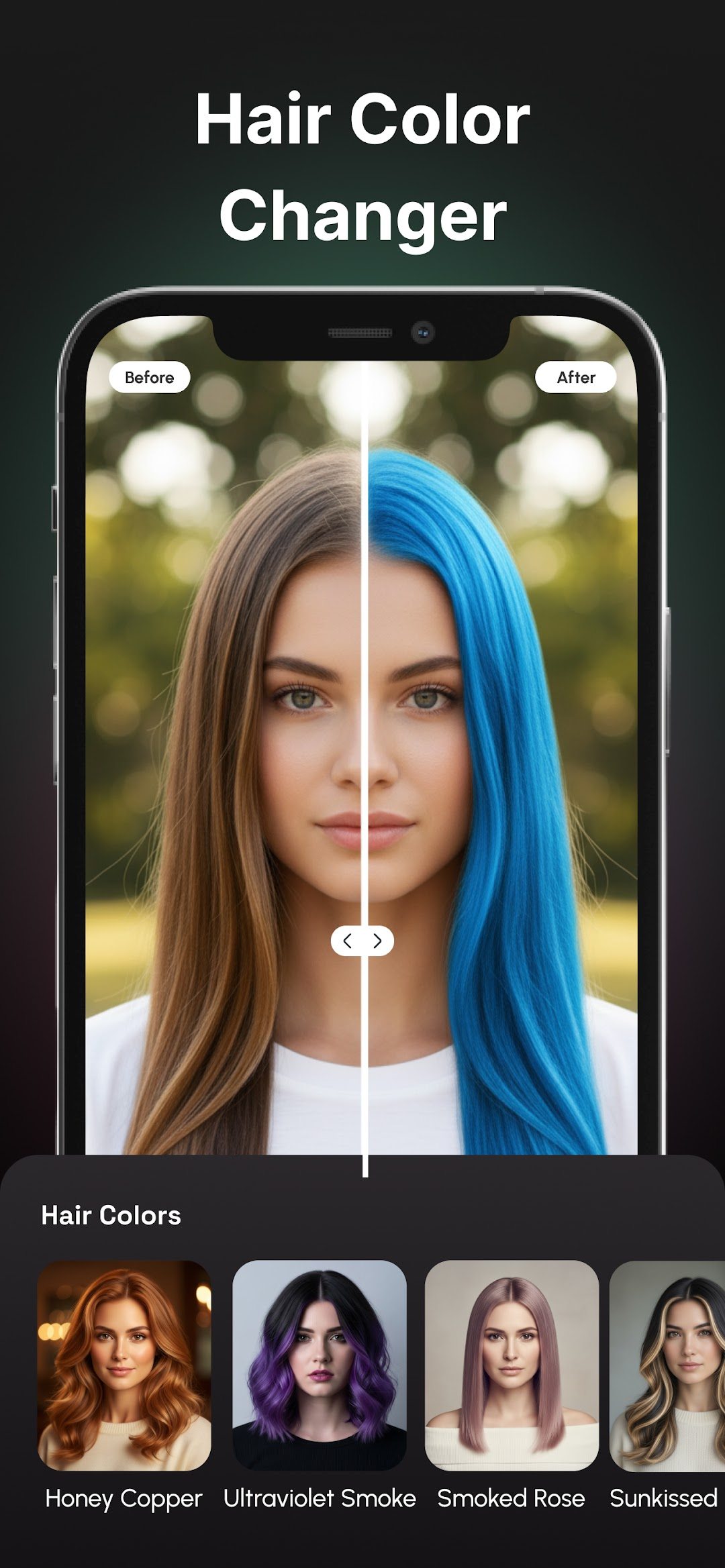
Hair Color & Hairstyle Try On goes beyond simple filter overlays and offers inspiration for more adventurous color changes, with options including vivid dip-dye, bold split colors, and contrasting highlights. Seeing these colors on different lengths and styles can help you discover combinations you might not have considered.
Where it’s weaker: Some options feel dated, particularly the dip-dye looks and ’90s-style highlights. More familiar shades, such as reds and brunettes, are scattered throughout the selection rather than grouped together, making them difficult to browse and compare. Colors are also presented on various hairstyles, including braids, so it’s unclear whether a selection will apply only the color or recreate the entire hairstyle on your selfie.
Brand Simulators That Match a Real Dye Formula
These six come straight from hair color brands. Five run free in a browser with no download, and L'Oréal Professionnel's My Hair [iD] is a free app built for salon consultations. They share one significant advantage over general AI apps: the shade you preview exists as a real product or professional formula with a name and a number. The catch is equally consistent — you only see one company's range.
All six apply a filter over your existing hair color, which limits what they can show. On dark hair, you may see only a slight tint rather than the lighter result achievable with professional bleaching. They also can’t realistically preview new highlight placements or an even, all-over color on highlighted hair, so the results offer a limited picture of what a salon color service could achieve.
3. My Hair [iD] by L'Oréal — Best for Salon Consultations
Score:4.5/ 5Lea's score
Platform: iOS, Android. Cost: Free.
Get it: Official site · App Store · Google Play
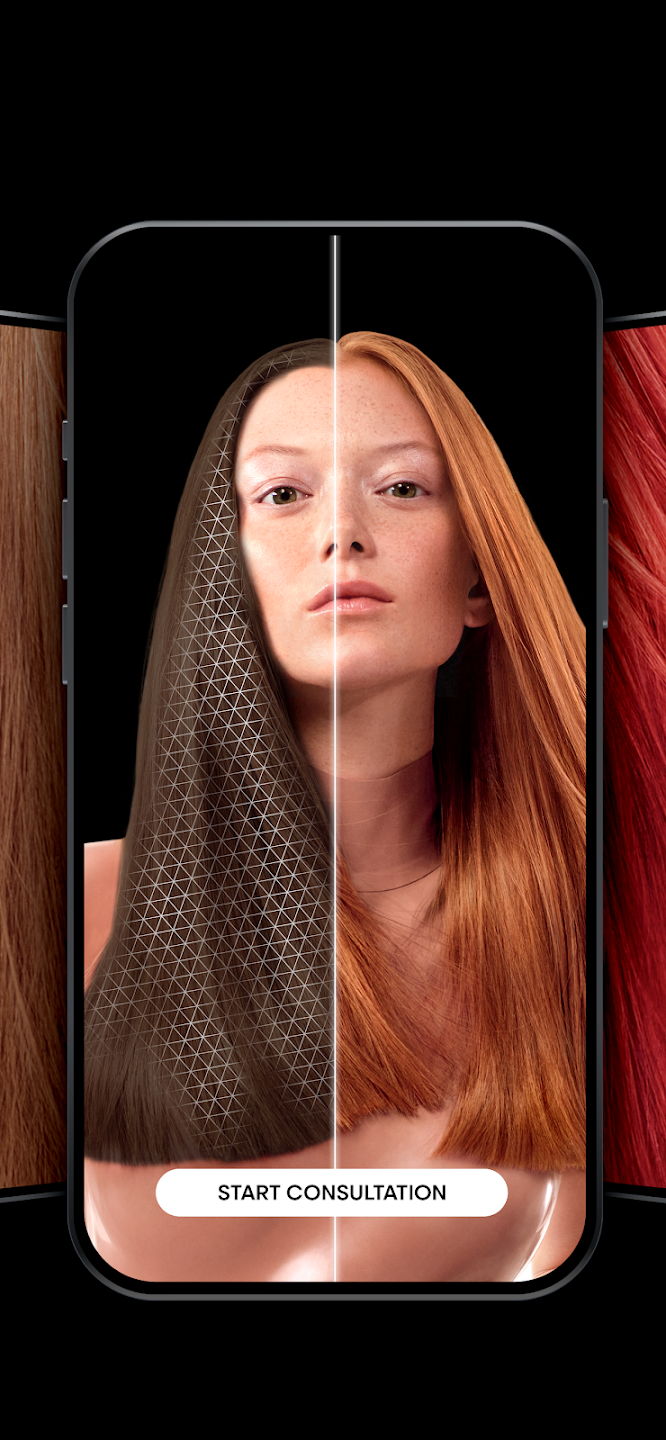
The value here isn't the rendering — it's that every shade corresponds to a professional formula your colorist can actually mix. Walking in with a My Hair [iD] screenshot gives a stylist a starting point in their own language instead of a Pinterest image shot under studio lighting. The 3D rotation lets you see a tone from more than one angle, and the professional mode used in salons goes deeper into tone and reflect than the consumer view.
The catalog stops at L'Oréal's range, so fantasy shades are thin and you're previewing one manufacturer's interpretation of "copper." Rendering also holds up better on straight and wavy hair than on tight curl patterns, where the tool struggles to separate individual coils. If your hair is 3B or tighter, cross-check against a second tool before committing.
4. Madison Reed Hair Color Changer — Best Before-and-After Comparison
Score:4.3/ 5Lea's score
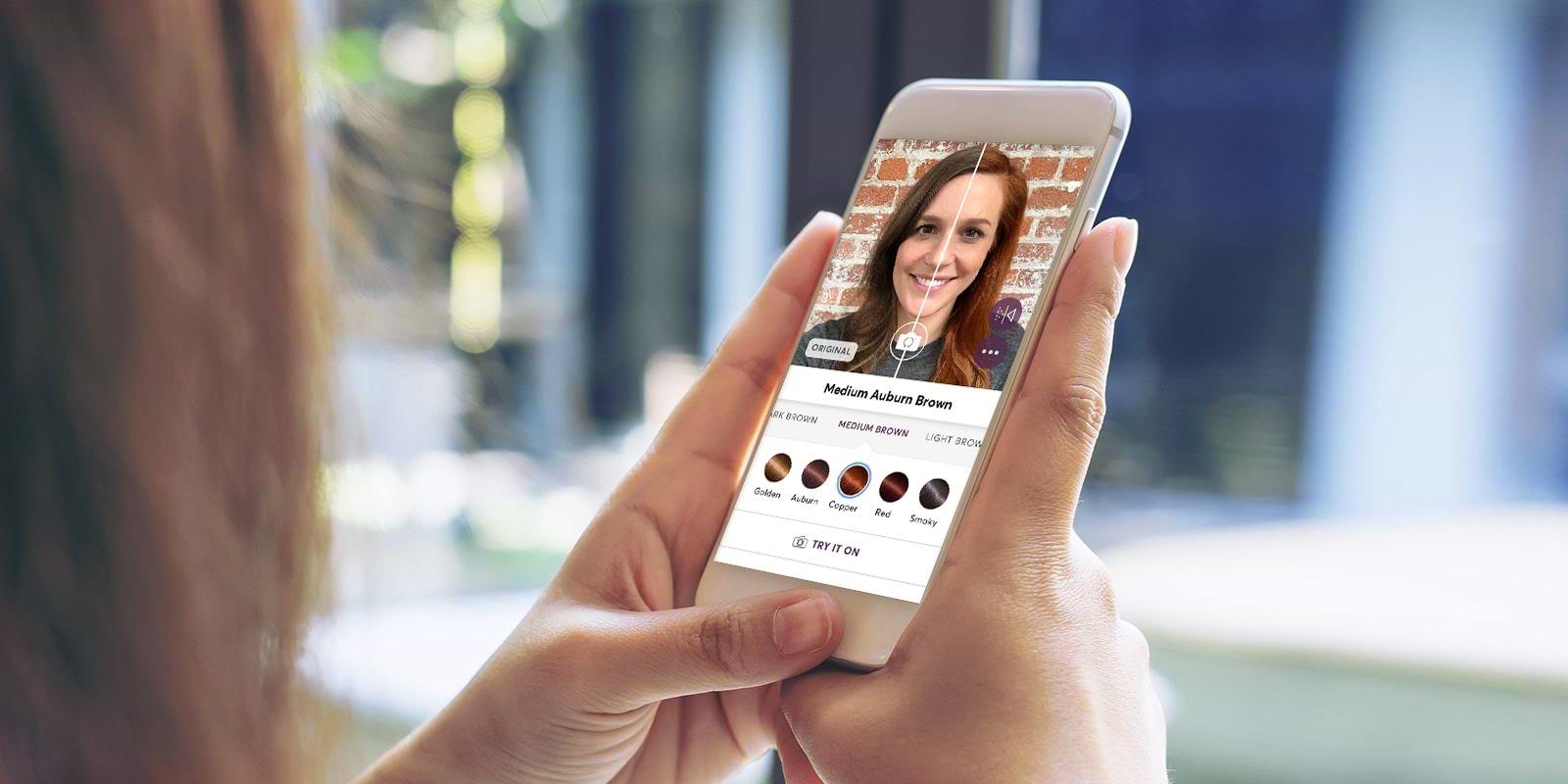
Platform: Web (phone, tablet, desktop). Cost: Free.
Try it: Madison Reed Hair Color Changer
More than 55 shades, live camera or photo upload, and — the reason it ranks here — a split-screen slider that puts your current color directly against the new one. Seeing both at once is a meaningfully different experience from flipping between two saved images, because the comparison happens in one glance rather than in memory. A short quiz narrows the range based on your current color and what you're trying to achieve.
Everything points toward Madison Reed's own ammonia-free color and its subscription, so expect a promotional layer on the way out, and availability is strongest in the US. As a shade-comparison exercise it still works even if you never buy the product.
5. Redken Virtual Try-On — Best for Planning a Colorist Appointment
Score:4.2/ 5Lea's score
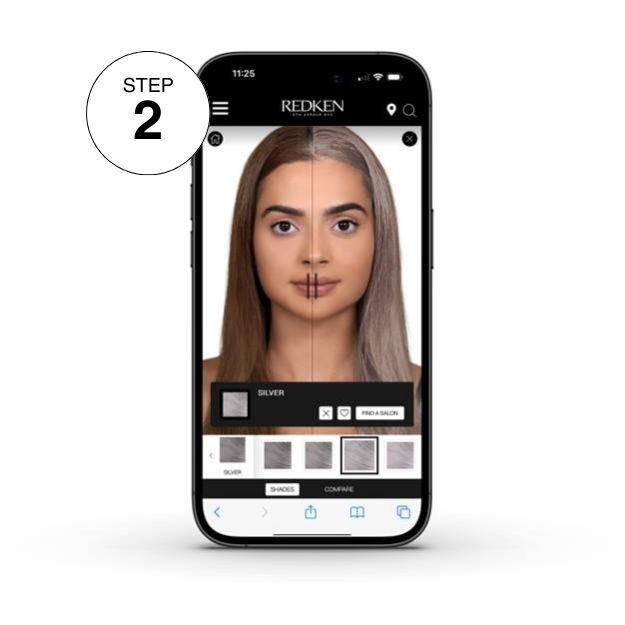
Platform: Web. Cost: Free.
Try it: Redken Virtual Hair Color Tool
Redken's tool runs in a browser with either a saved photo or your phone's live camera, no app required, and covers professional shade families rather than box dye. That makes it genuinely useful for the conversation before a salon appointment — you're looking at tones a colorist can formulate, not a drugstore approximation. It's also one of the better options for previewing cool-toned brunettes, where small differences in reflect matter more than the base level.
Nothing here is achievable at home. Every shade assumes a professional applying it, and if your hair is currently color-treated, the result you see may require a correction step first. Budget for consultation time rather than treating the preview as a price quote.
6. Matrix Virtual Try-On — Best for Connecting to a Local Salon
Score:4.0/ 5Lea's score
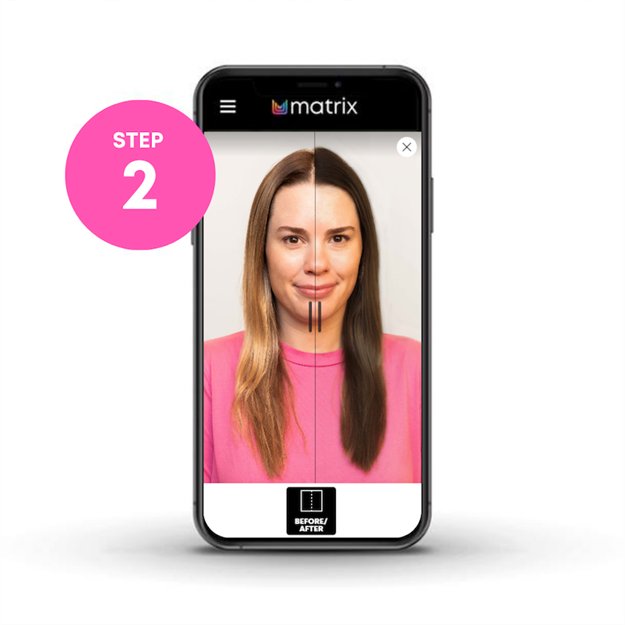
Platform: Web. Cost: Free.
Try it: Matrix Virtual Hair Color Try-On
Matrix runs a comparable browser simulator with a professional shade range, and its practical edge is the route from preview to appointment — the tool is built to hand you off to a salon that stocks the line. If you already know you want a professional service and haven't chosen a colorist, that shortens the path considerably.
Vivid and fashion shades are limited, and the rendering is a shade overlay rather than a generative transformation, so it reads as slightly flat on very dark or very textured hair. It answers "which tone" well and "how much lift will this take" not at all.
7. Garnier Virtual Try-On — Best for Drugstore Box Dye
Score:3.9/ 5Lea's score
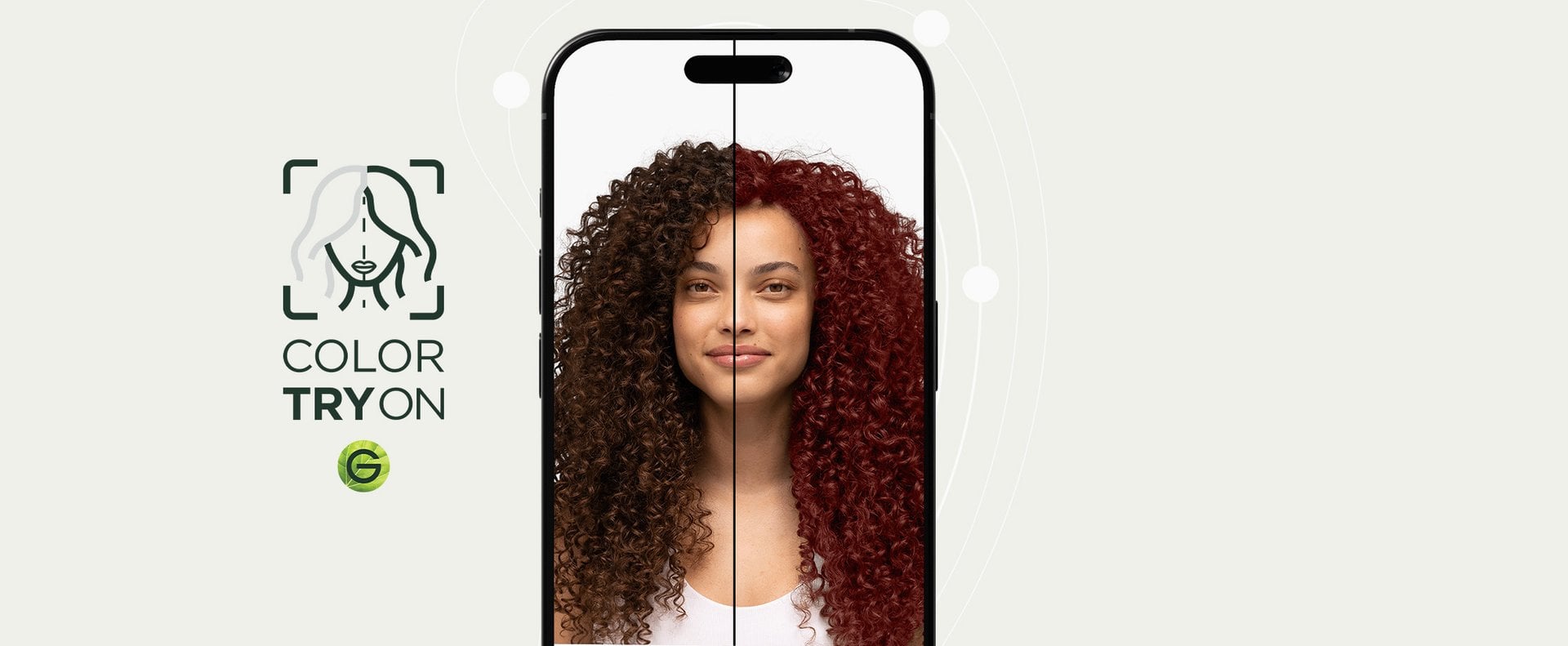
Platform: Web. Cost: Free, no sign-up.
Try it: Garnier Virtual Try-On
If you're standing in a drugstore aisle deciding between two boxes, this is the fastest way to resolve it. Garnier's changer covers its at-home ranges, opens in a browser with no account, and links each preview straight to the product page. Nothing about it is sophisticated, and that's the point — low friction for a low-stakes question.
Again, the tool applies a filter over your current hair color, so your starting shade influences what you see and what you normally get at home. If you plan to bleach your hair first, though, it won’t reflect that lighter base, and your final color could look quite different.
Stylist tip: Before any at-home color, cut a small section from underneath at the nape and run a strand test with the actual product. Fifteen minutes there prevents the kind of color correction appointment that costs several hundred dollars and takes multiple sessions.
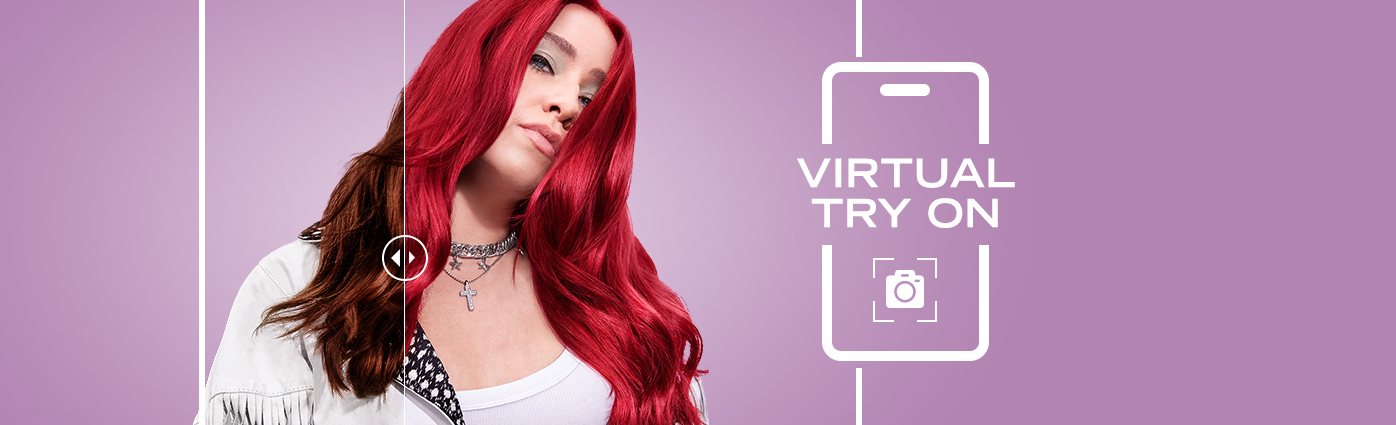
8. Schwarzkopf Virtual Try-On — Best for European At-Home Ranges
Score:3.8/ 5Lea's score
Platform: Web. Cost: Free.
Try it: Schwarzkopf LIVE Virtual Try-On
Schwarzkopf's simulator covers its at-home color ranges and includes a stronger selection of vivid and fashion shades than most drugstore tools, which makes it a reasonable first stop if you're shopping European brands or want to preview a bold shade you could realistically apply yourself. The interface is straightforward — upload, tap through shades, save what you like.
Tool availability and shade selection vary by country site, so what you can preview in one market may differ from another. Realism on gray or salt-and-pepper hair is the weak point; gray coverage behaves differently from tone-on-tone color, and none of the box dye simulators model that well.
Beauty and Makeover Apps With Hair Color Change Features
The last four are beauty, makeup, and photo-editing apps where hair color is one feature among many. They're good for exploring a direction or seeing a shade alongside a full look, and less reliable for deciding exactly which shade to book.
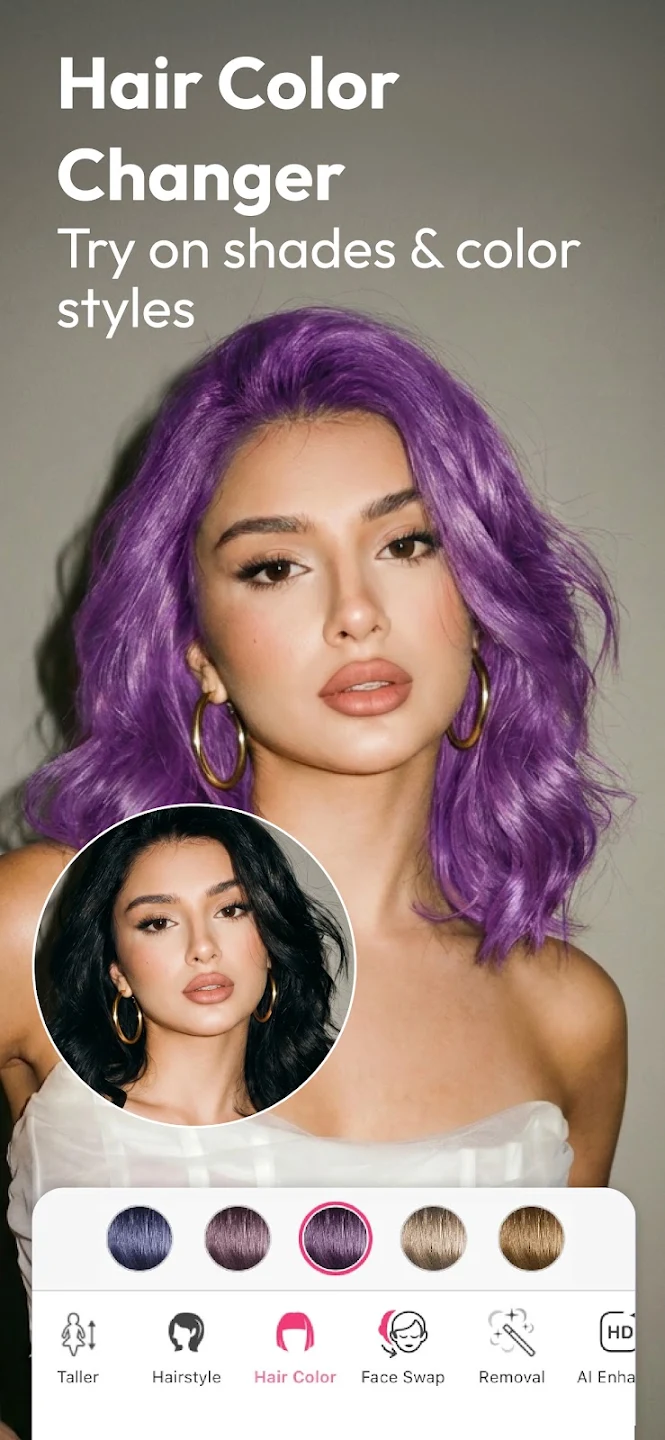
9. YouCam Makeup — The Widest Shade Library
Score:4.6/ 5Lea's score
Platform: Web, iOS, Android. Cost: Free with premium shades and features behind a paywall.
Get it: Official site · App Store · Google Play
Perfect Corp's app carries more than 150 hair color filters and pairs them with intensity and shine sliders, which turns out to be the most underrated feature in this category. Being able to take one copper and dial it from a barely-there warmth to full autumn saturation tells you where your own comfort line sits far better than picking between two fixed presets. The gradient tools simulate ombré, balayage, and highlight placement rather than a single flat tone.
Downsides: The interface is built around makeup, so hair color tools sit several taps deep, and the screen fills with lipstick and eyeliner options you didn't ask for. Shades aren’t named, making it harder to identify or describe a color you like.
Because the tool applies a filter rather than generating a new image, previews can also show visual glitches. Existing highlights also remain lighter than the rest of your hair, so you can’t get a true preview of an even, all-over color.
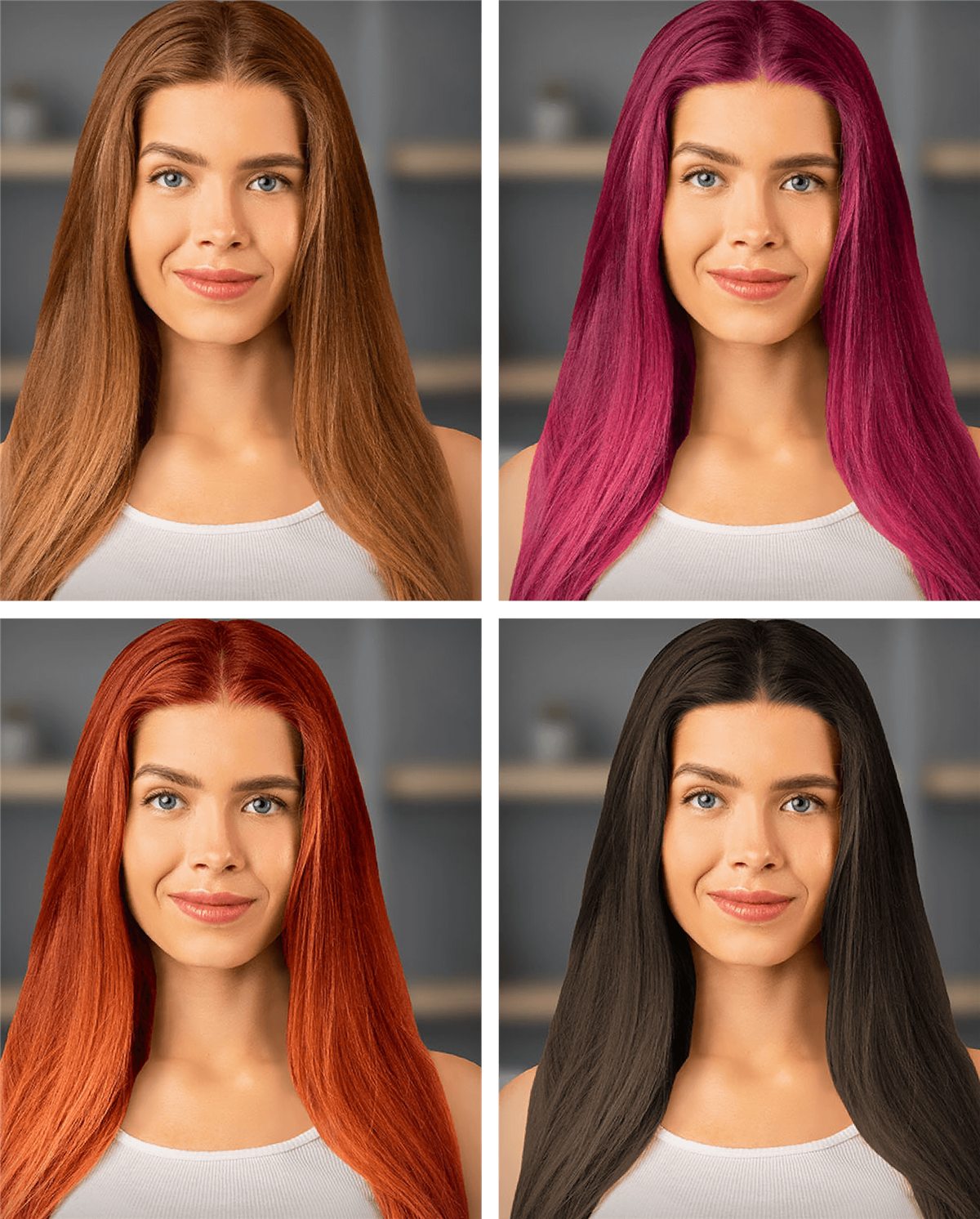
10. Perfect365 — The Most Advanced Color Filter
Score:3.5/ 5Lea's score
Platform: Web, iOS, Android. Cost: Free with in-app purchases.
Get it: Virtual Hair Dye (web) · App Store · Google Play
Perfect365's virtual hair dye handles light and bold shades better than other filters, and because it's a makeup editor first, you can preview a fashion shade alongside the makeup you'd actually wear with it. That matters more than it sounds: a lavender that looks strange with bare skin often makes sense once the rest of the face is balanced to it.
Hair color is a secondary feature in this makeup-focused app, with a limited shade selection and hair tools that are difficult to find. The free version also includes ads.
11. PhotoDirector — Best for Specific Shades and Creative Placement
Score:3.7/ 5Lea's score
Platform: iOS, Android. Cost: Free tier with premium subscription.
Get it: Official site · App Store · Google Play
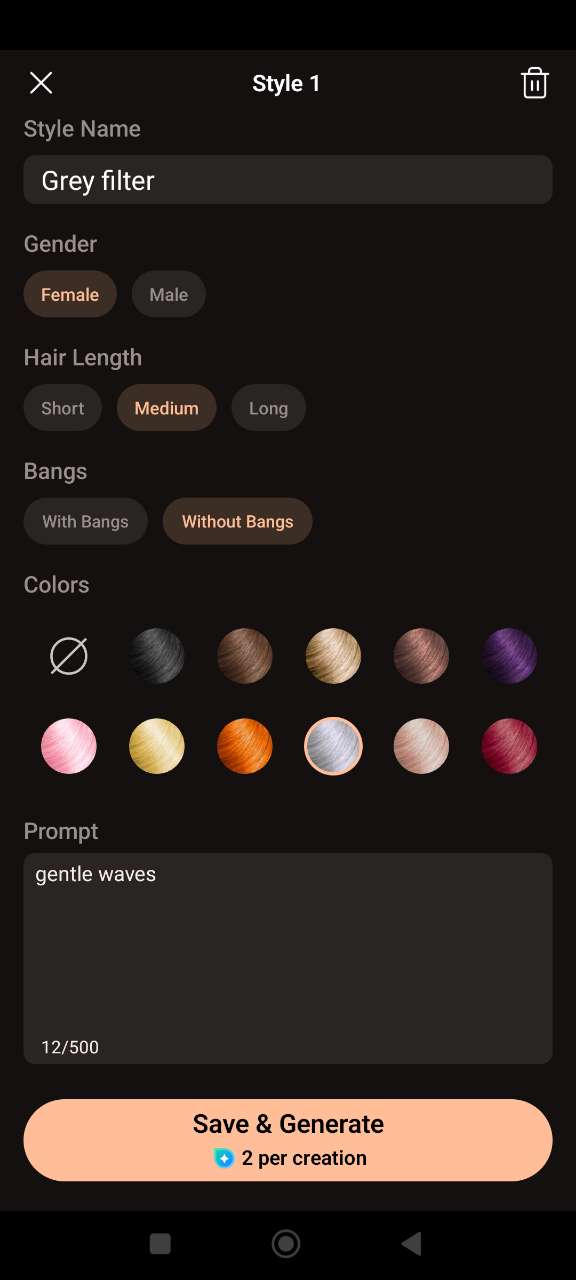
CyberLink's editing app includes an AI Hairstyle feature that generates both cuts and colors, and its distinguishing feature is a custom color field — you describe the shade you want rather than picking from a grid. That’s particularly useful when you know exactly which color you want or want to achieve a more creative color placement. Style options can be filtered by gender for closer results.
Because it's generative, output drifts further from your actual features than an overlay tool does, and full access requires a subscription to a photo suite you may not otherwise want. Good for exploring a direction, less reliable as a faithful preview of your own face.
12. FaceApp — Best for Fast, Low-Stakes Experimenting
Score:3.2/ 5Lea's score
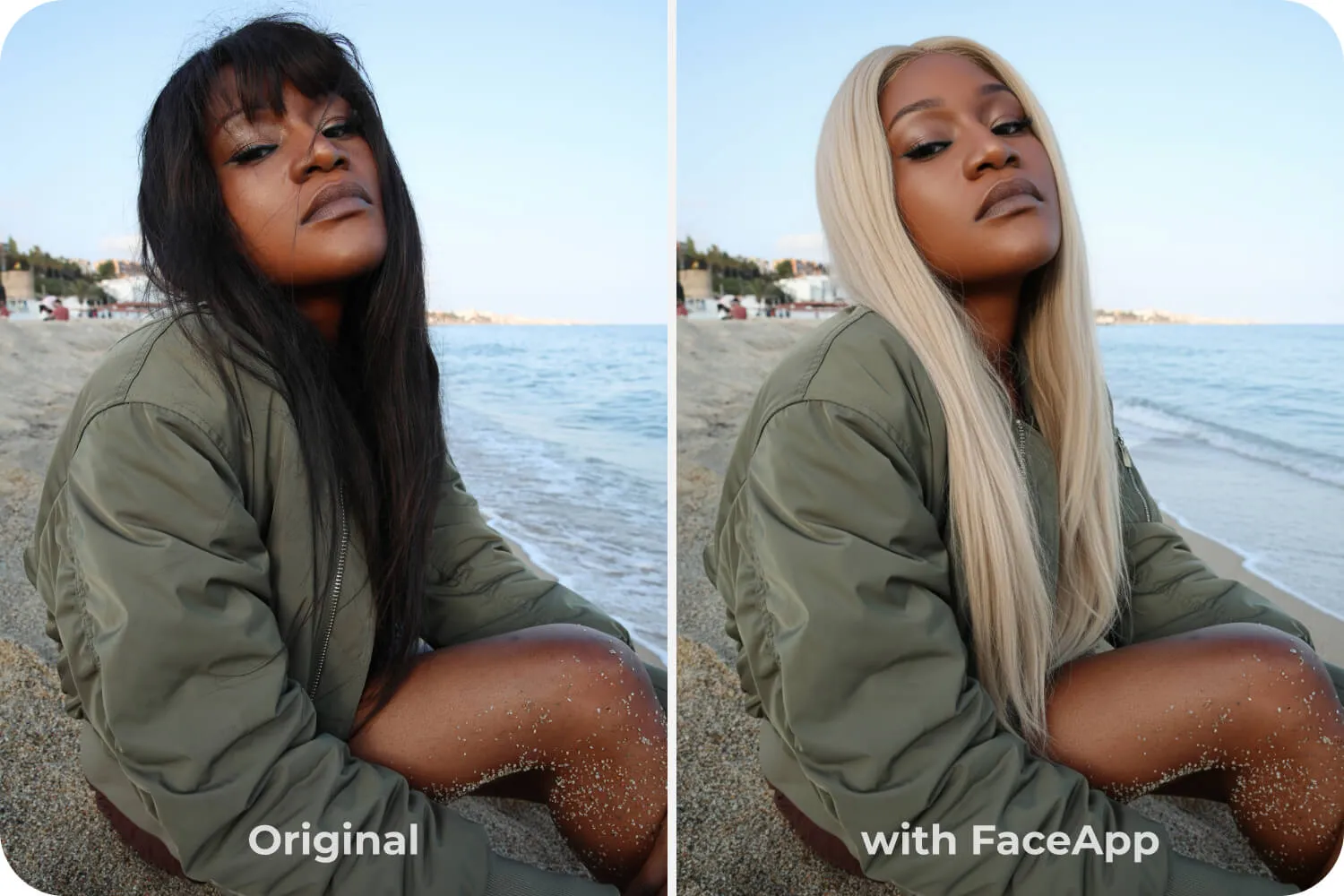
Platform: iOS, Android. Cost: Free with premium tier.
Get it: Official site · App Store · Google Play
FaceApp is the quickest tool here — a preset, a tap, a result — with a wide range of natural and fantasy shades. It earns its place because speed has real value at the earliest stage, when you're still deciding whether a direction interests you at all. Plenty of people have gone red because a FaceApp preview made the idea feel possible, then chosen a wearable auburn with a more precise tool.
It ranks last for salon planning for two reasons. The app smooths and subtly reshapes your face along with the hair, so you're evaluating a color on someone who isn't quite you, and its data handling has drawn ongoing criticism in reviews. Read the privacy terms before uploading, and don't use the output as a salon reference.
Tools Other 2026 Lists Still Recommend That No Longer Work
The same app names keep appearing across hair color and hairstyle roundups, even when the tools themselves have fallen behind. That was part of our motivation for creating this guide: a familiar recommendation or an app name that perfectly matches your search doesn’t necessarily mean a useful experience.
Fabby Look, for example, was removed from Google Play in June 2023. Hair Color Changer: Change You still lists March 2023 as its last update, while the iOS version histories for Hair Zapp and Hairstyle Makeover stop at 2020 and 2017, respectively. Two other apps I keep seeing in “best apps for 2026” lists are Hairstyle Try On and Hairstyles for Your Face Shape. Both feel like a trip back in time: “trying on” a look means manually dragging and resizing a cut-out of a ’90s-style hairstyle to fit your head, much like editing a picture in Microsoft Paint.
With AI technology advancing so much over the past year, apps left unmaintained can fall well behind in preview quality and may also develop compatibility or security issues. This guide grew out of wanting to look beyond those repeated listings and explain what the available tools actually let you do, how convincing their previews are, and where the experience falls short.
What Every Try-On App Gets Wrong About Real Color
These tools model the destination, not the journey. A preview of platinum on naturally dark brown hair shows you a finished result; it says nothing about the two or three lightening sessions, the toner, and the bond-building treatments between here and there. That gap is where most disappointment lives.
Three variables no simulator can see: your starting level, which determines how much lift a target shade requires; your hair's porosity, which controls how tone deposits and how fast it fades; and the percentage of gray, which resists pigment differently from virgin hair. Understanding how color levels and tones work makes every preview you generate more useful, because you'll start reading them as "level 8 warm" rather than just "blonde."
Stylist tip: When you send a preview to your colorist, say what you like about it in specific terms — "I want the brightness around my face but I don't want to go this light overall." Colorists can work with a stated priority. They can't work with an image and no context, because the same photo suggests five different formulas depending on what drew you to it.
How to Get a Preview Your Colorist Can Actually Use
The quality of your input photo limits everything downstream. Shoot in indirect daylight near a window, facing the light, with no overhead bulbs casting yellow onto your hair. Keep your head level and the camera at eye height — tilted angles confuse hair segmentation and produce halos around the hairline.
- Photograph your hair in its usual state, not freshly blow-dried, since shine changes how tone reads.
- Test the same shade in at least two different tools; where they agree, trust the result.
- Generate warm and cool versions of every shade you like, then compare them against your skin rather than against each other.
- Save three favorites, not twelve — a colorist works faster from a narrow brief.
- Ask about upkeep before you book: some shades need a gloss every six weeks, and maintaining colored hair at home is a real commitment.
If blonde is where you're heading, read up on what going blonde actually involves before the consultation. And if you're unsure which technique produces the effect in your saved image, choosing between balayage, foils, and a root melt is a separate decision from choosing the shade.
Frequently Asked Questions
Can I try hair colors on my own photo for free?
Yes. Every brand simulator here — Garnier, Redken, Matrix, Madison Reed, Schwarzkopf — is completely free with no account required, and HairHunt, YouCam Makeup, and FaceApp all offer free tiers. Paid tiers generally buy you more shades, higher resolution, or removal of ads rather than better underlying rendering.
Do hair color apps work on curly and coily hair?
Less reliably than on straight or wavy hair. Overlay-based tools struggle to separate individual coils and often color the spaces between them, producing a heavy, flat result. Generative tools handle texture better but sometimes redraw the curl pattern itself. If your hair is 3B or tighter, test in two tools and weight the one that preserves your actual curl definition.
Will a try-on app show me how blonde I can realistically go?
No — and this is the most important limitation to understand. Apps render the target shade regardless of whether your hair can reach it in one session. Dark or previously colored hair may need multiple lightening appointments, and hair in poor condition may not safely lift that far at all. A colorist's strand test answers this question; an app can't.
Can these tools preview balayage, highlights, and ombré?
Some can. YouCam Makeup simulates gradients and placement patterns, and HairHunt includes pre-styled balayage, ombré, money pieces, and highlight options. Most brand simulators apply a single all-over tone, because that's what a box or a single-process formula delivers. If dimensional color is what you want, use a tool that shows placement rather than one that shows shade alone.
How accurate are hair color apps compared to real dye?
They're directionally accurate on tone and generally unreliable on intensity. A preview will tell you whether a warm copper suits your complexion better than a cool auburn, and that's a real answer worth having. It won't predict how the pigment interacts with your hair's porosity, how it fades over six weeks, or how it will read under different lighting. Use previews to narrow your options, and a professional consultation to confirm them.
Which app is best for testing gray or silver hair?
HairHunt, YouCam Makeup, and Perfect365 offer the widest ranges of silver and ash shades. HairHunt also lets you preview salt-and-pepper hair and gray-blending options, including gray hair with lowlights and gray-blending bronde.
Are hair color try-on apps safe to upload my photo to?
Policies vary considerably, so check before uploading. Look for tools that let you delete your photos and generated images on request and that state they won't use your images beyond providing the service. FaceApp in particular has drawn recurring criticism over its data handling, which is worth weighing against how casually you'd use it.
The honest summary is that hair color try-on apps have become a genuinely useful first step and are still a poor substitute for a strand test. Use one to eliminate the shades that don't flatter you, another to confirm the tone, and save your two or three favorites to bring to the chair. Then let a colorist tell you what it will take to get there.
Hair results vary based on your natural hair type, texture, density, and condition. Always consult with a licensed hairstylist before making significant changes, especially with chemical treatments or dramatic length changes. Photos may show styled results that require professional tools and products to replicate.
Colorist · Hair Color Specialist
Lea is a UK-based hairstylist and colorist with over 20 years of experience. Known for her color work, particularly with redheads, she has won the Fellowship for British Hairdressing Colour Project and Best Color Salon (3 years running). She tests AI-powered hair tools, virtual try-on apps, and emerging beauty technology through hands-on use. You can find her on LinkedIn.